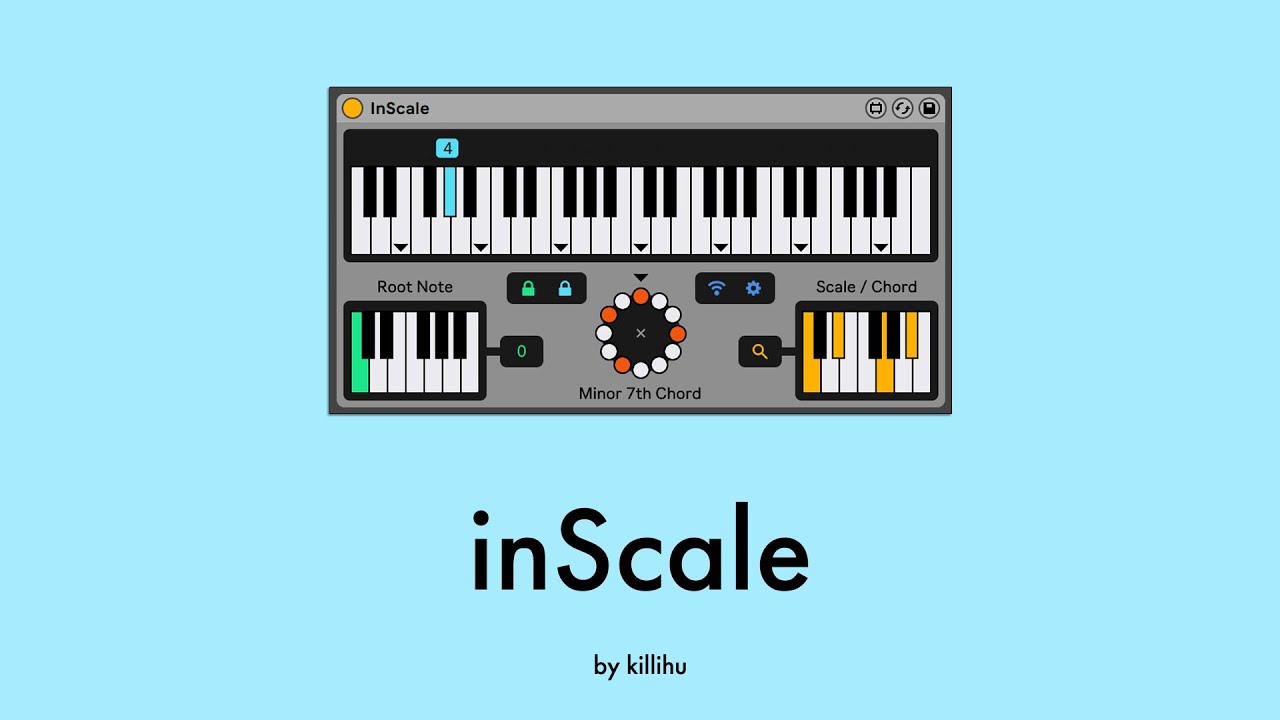
inScale is a device that allows you to play MIDI notes always in the selected scale. Unlike other similar devices, inScale has some features that offer more versatility for both composition and live performance.
Main features
- Create up to 20 presets with different scales/chords.
- Use the white keys on the keyboard to always play in the selected scale.
- Use the black keys on the keyboard to change presets.
- The first octave of the keyboard changes the root note of the scale.
- More than 400 scale presets sorted by categories.
- Possibility of remote control using Android and iOS devices.
The image below shows how to use an external MIDI keyboard to use inScale.
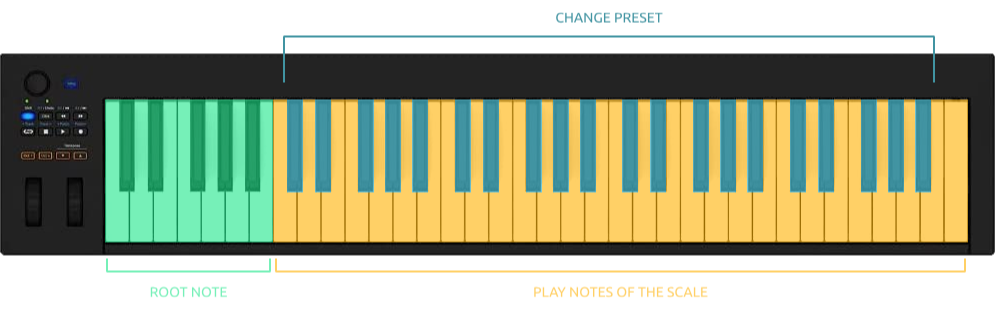
The combination of the 20 preset slots + the 12 root notes makes it possible to switch between 240 different scales directly from an external MIDI keyboard. So you can sit in front of your MIDI keyboard and start composing or experiment with different scale transitions, forgetting about looking at the computer screen or using the mouse/keyboard to change scales.
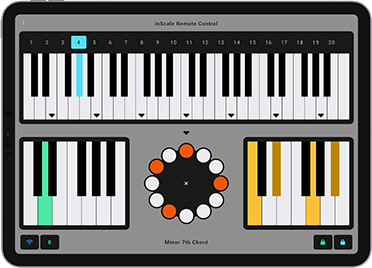
Included with inScale is a remote control for Android and iOS devices.
It is not necessary to use the device but it helps to avoid having to be in front of the computer. It can be run on a tablet that you can place next to your external MIDI keyboard.
The remote’s color scheme syncs with Live’s color theme.
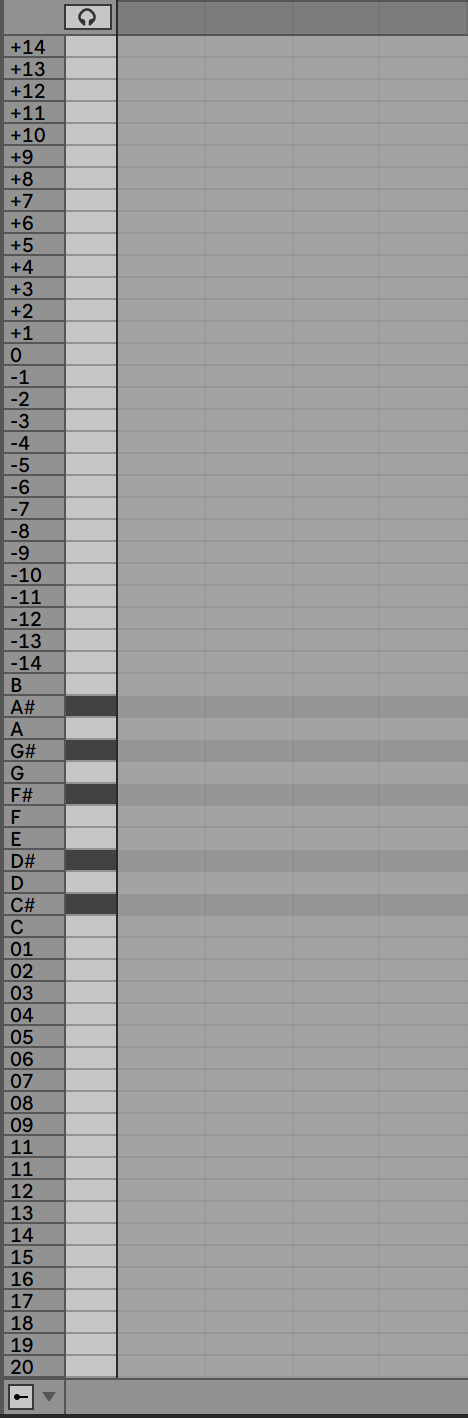
Although inScale was initially designed for use with external MIDI keyboards, it includes a rack for Live 12 that shows the device’s controls in Live’s MIDI editor. Click the image on the right for an enlarged view.
The lower notes (01 to 20) change presets. The following (C to B) change the root note. The remaining notes correspond to the white keys on inScale, with number 0 corresponding to the center position of the note circle and the keyboard.
The trick to displaying custom editor note names is to use a DrumRack in a secondary chain. It’s possible to rename the DrumRack’s DrumPads to create custom configurations. For example, by renaming the preset change notes (01 to 20) to the names of the scales set in the inScale presets.
Check the manual before buy.
Buy inScale now and get the latest version. Then later, all future updates free.
Showcase video