
Auto SC on Master
Template to sidechain all tracks routed to master except the ones you choose
The idea of this template came from an Infected Mushroom video in which they explained that in their songs, when the kick sounds, they apply low cut eq to all the tracks except the kick and the bass. This template allows you to apply sidechain effects to all tracks routed to the master track, except the tracks you choose, such as the kick and the bass. Take this template as an example and customize it according to your needs.
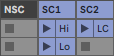
The template has 3 tracks. SC1 and SC2 are the tracks that send the sidechain signals, and NSC is the track where the kick and the bass should be routed.
SC1 activates the typical sidechain effect that generates a feeling of pumping when the kick sounds. It responds to MIDI velocity variations. SC2 activates a low cut eq filter.
On the master track you have quick controls to adjust the pumping of the song and the low cut frequency. Put your master effects after this rack.
If you inspect the rack you will see that there are 3 chains. All tracks routed to the master track pass through the Master chain, and it is there that they are processed by the effects of SC1 and SC2.
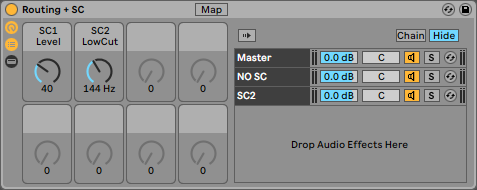
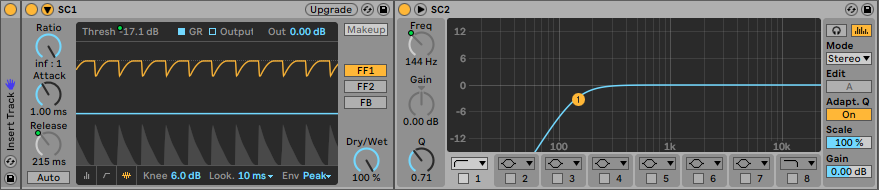
The kick and the bass pass through the NO SC chain without being processed by any effects. And the SC2 chain is an activator mapped to the low cut eq filter.
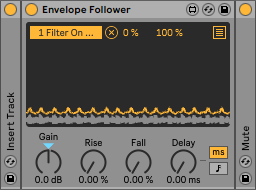
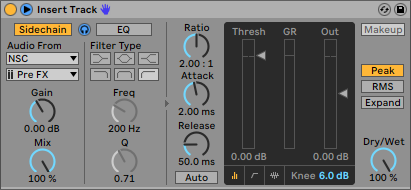
To do the routing I used the audio sidechain input of the Live compressor. You can see it named as Insert Track in each of the chains. This system adds a very small delay to the signal, allows you to work without latency problems but keep that in mind if you use master effects synchronized with the project tempo.
This template is free. Consider making a contribution if it is useful for you.